
Financial management and expense management
Rimvero
Integrated management of employee expenses, advances and budgets.
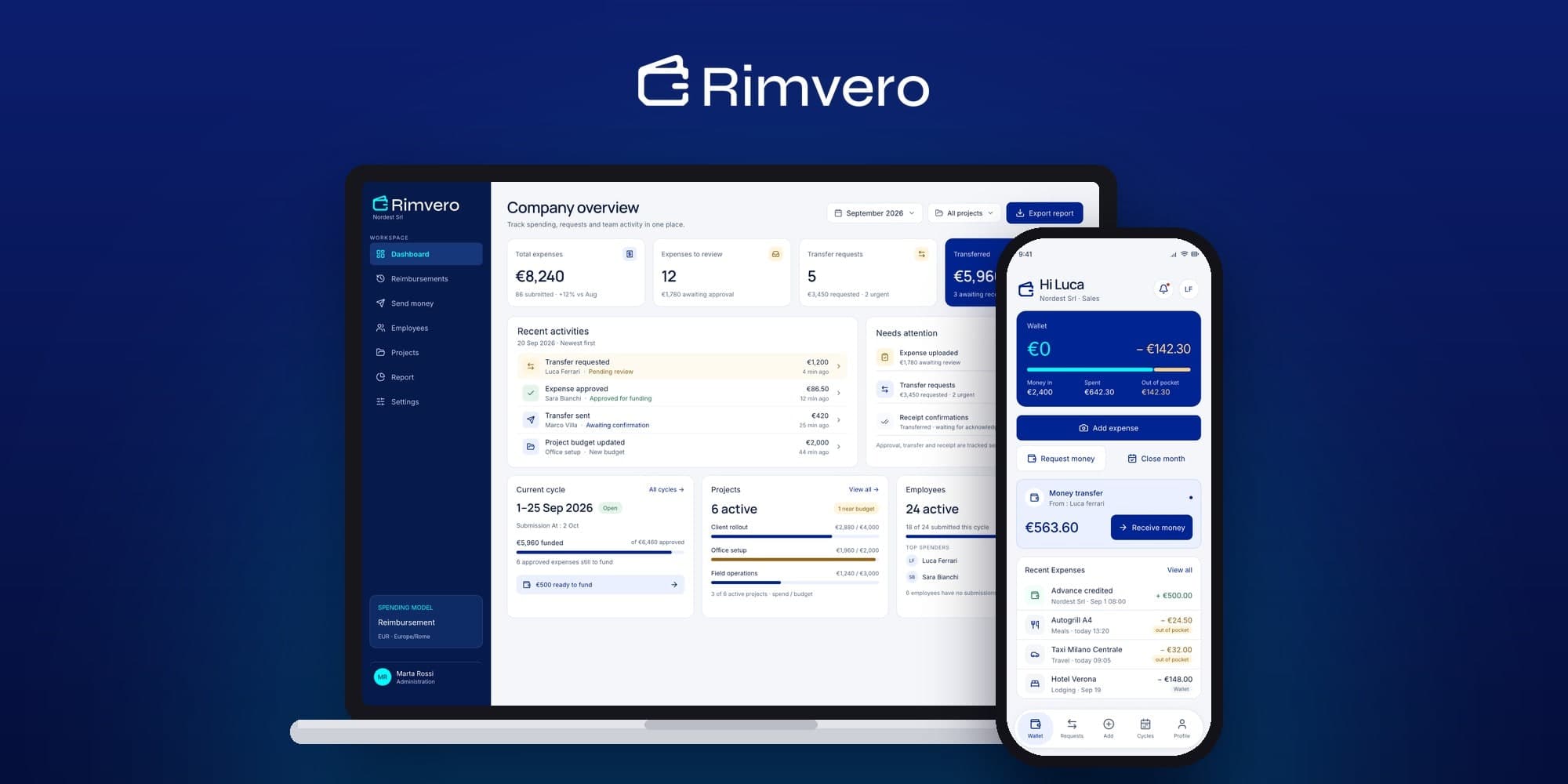
From recording expenses and attaching receipts to reviewing and approving them and paying out what is owed, Rimvero brings every stage of expense management into one system. The finance team tracks the expenses of employees, teams and projects, and reviews budgets, amounts paid and balances still owed, without managing separate files and spreadsheets.
- Industry
- Financial management and expense management
- Services
- Software development
- Administrative and financial process automation
- Platforms
- Web admin panel
- Employee app
The problem to solve
As the number of employees, projects and business trips grows, daily expenses increase and it becomes hard to track and review them and check that they stay within the set budgets.
Do you face these problems in your company too?
Difficulty tracking total employee and project expenses.
Lost receipts and late reimbursement requests.
Complicated procedures for approving and paying out what employees are owed.
Who is Rimvero designed for?
Companies that rely on business travel
Managing travel, accommodation and transport expenses and paying employees what they are owed.
Consulting and service firms
Linking expenses to projects and clients and tracking budgets and costs.
Companies with field teams
Managing advances, cash requests and expenses related to work away from the company’s premises.
Sales teams and representatives
Tracking travel and sales visit expenses, and reviewing and approving receipts.
Finance and HR departments
Tracking each employee’s expenses, approvals, advances and amounts owed.
How does the system work?
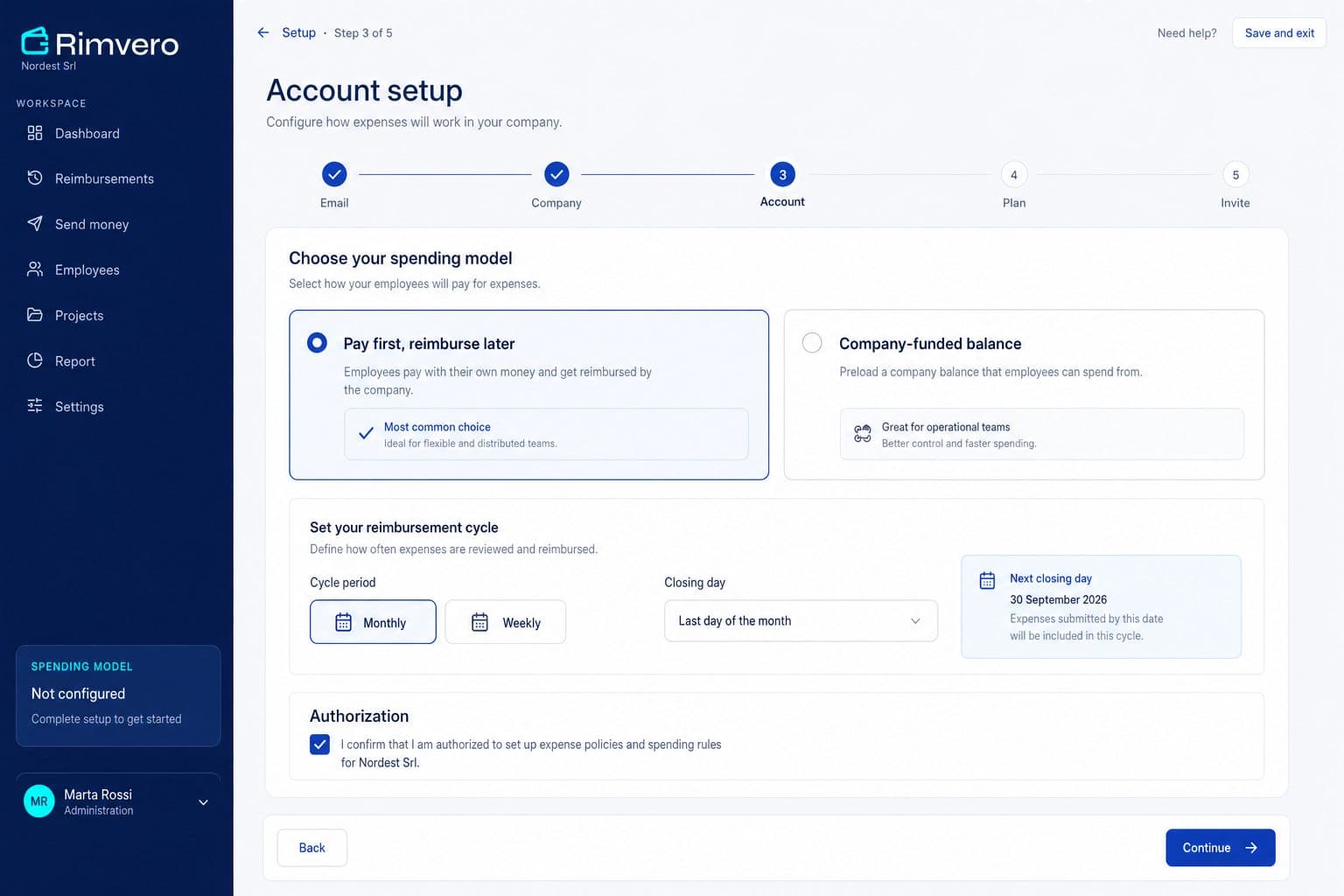
Setting up the system to fit the company
The company defines how expenses are managed, the payout cycles and the spending categories, then adds employees and teams according to its financial procedures.
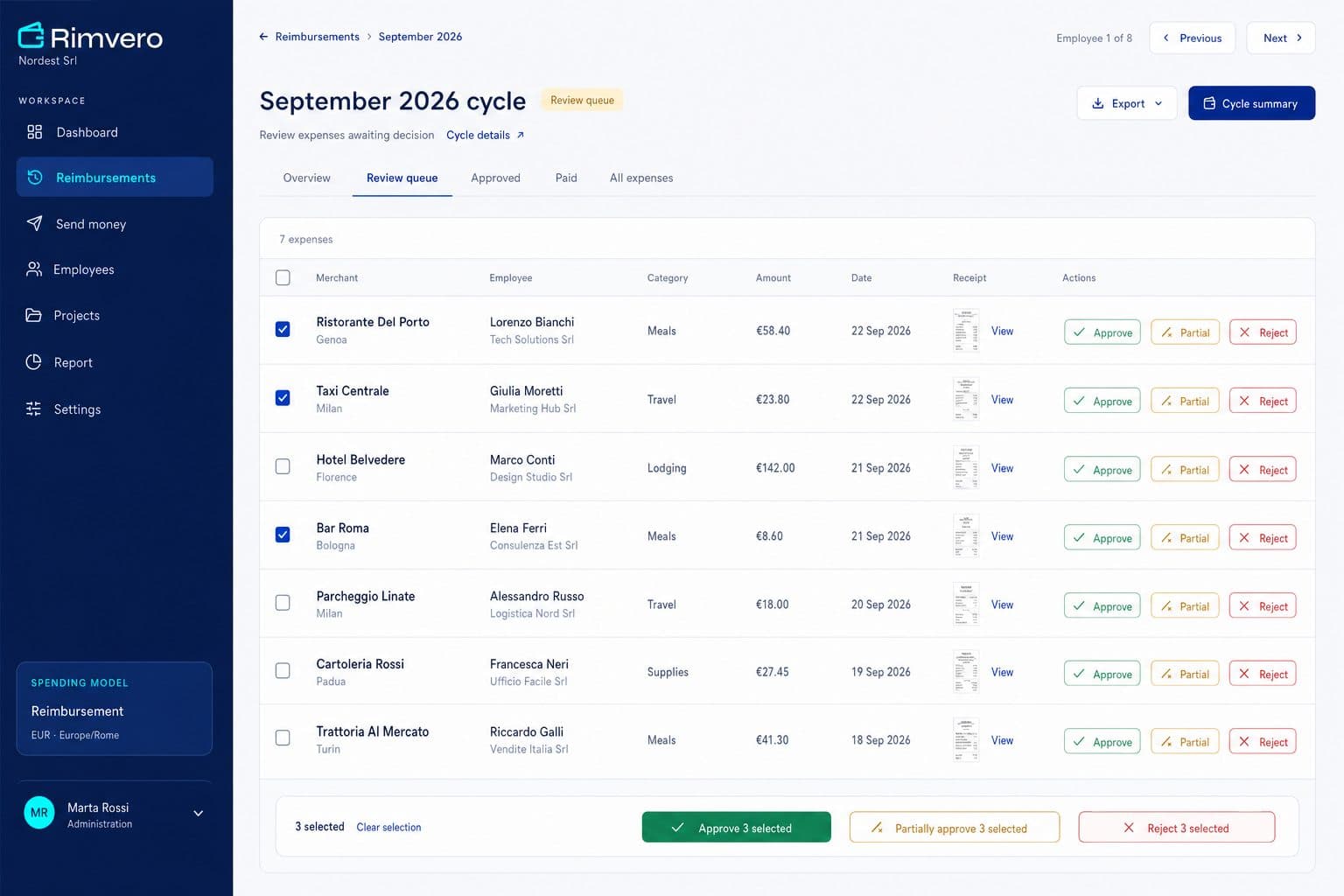
Expense review and approval
Expense requests reach the finance team, which can review the receipts and approve the amounts in full or in part, or reject them with a reason.
With solutions like this
-74%
Lower cost of processing a single expense claim.
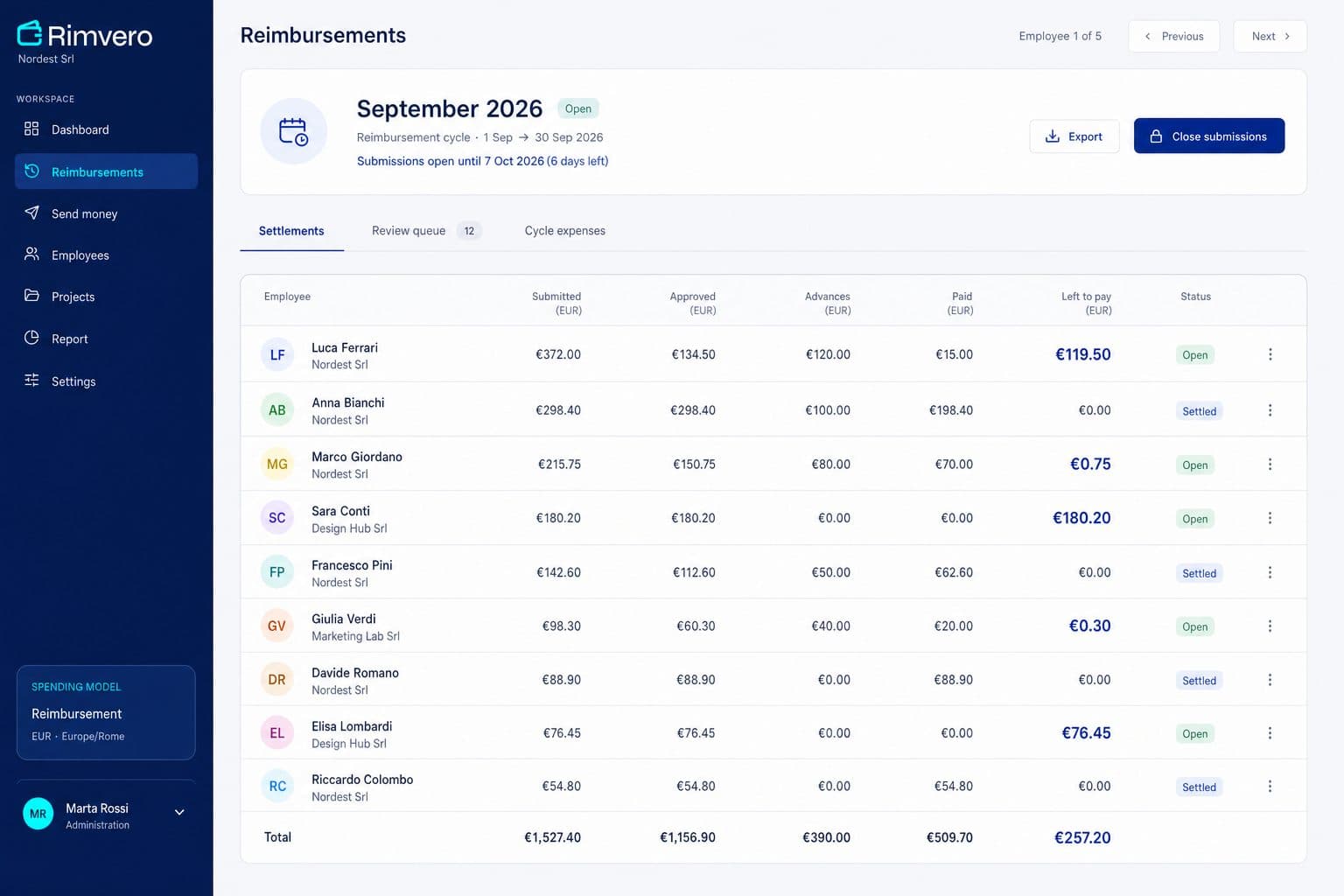
Payout cycle management
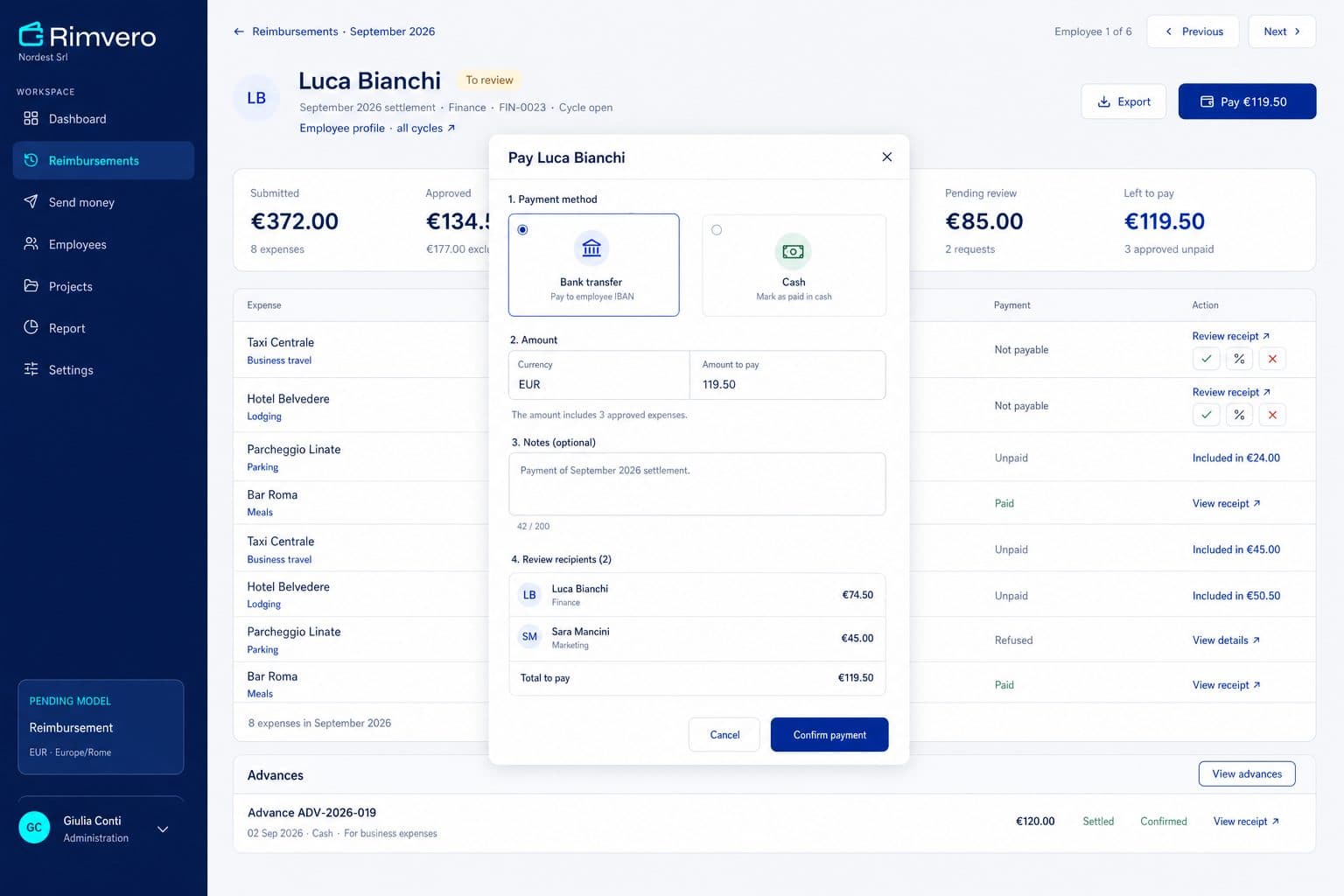
Expenses are organized into weekly or monthly cycles, showing each employee’s approved amounts, advances, payments and remaining balance.
Advance and payment management
Managing cash advance requests and approving them, recording their payment and confirming receipt, with the option to settle several expenses in one operation.
Project budgets and expense categories
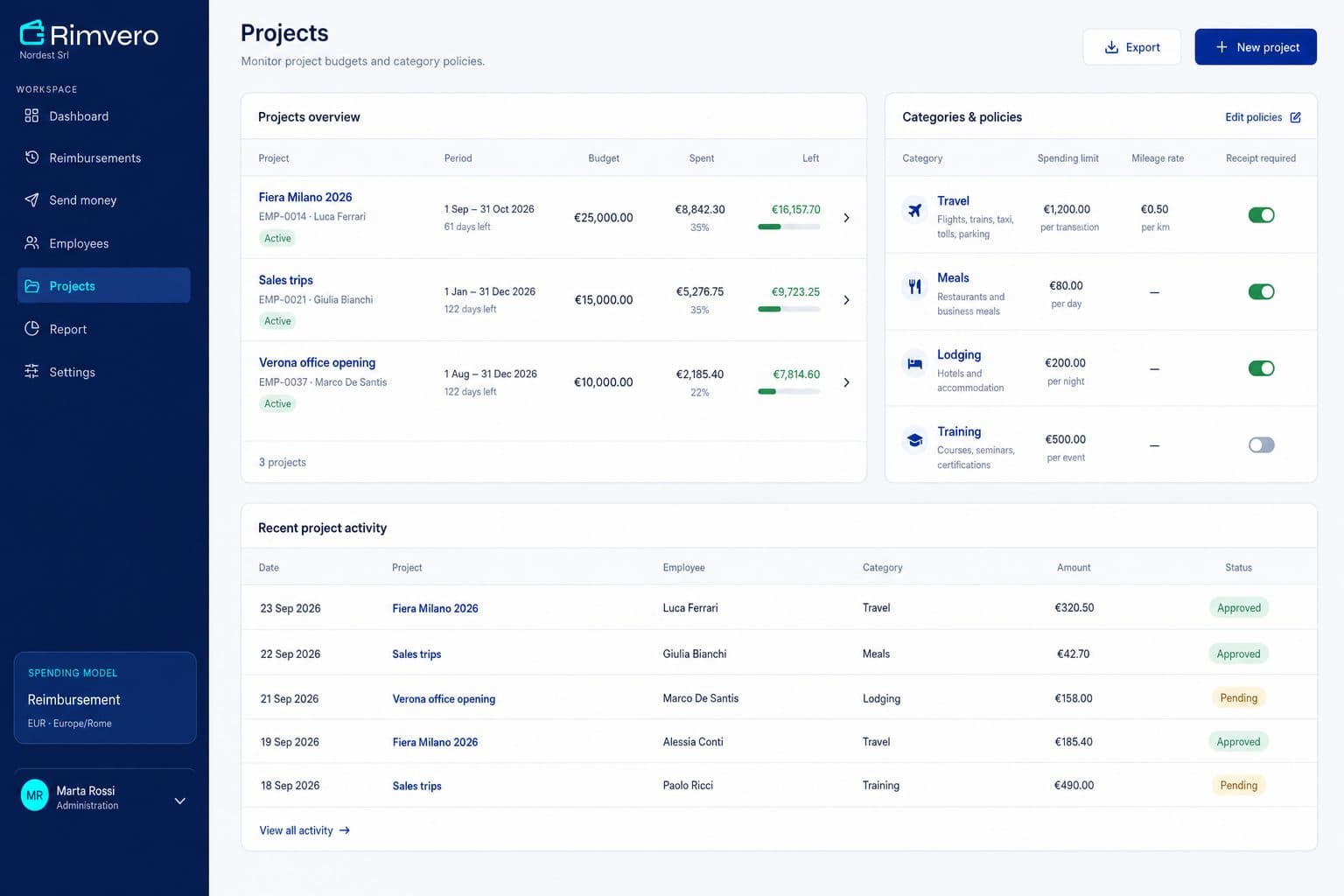
Linking each expense to the right project and category, with spending limits, mileage allowances and receipt requirements.
Employee and team management
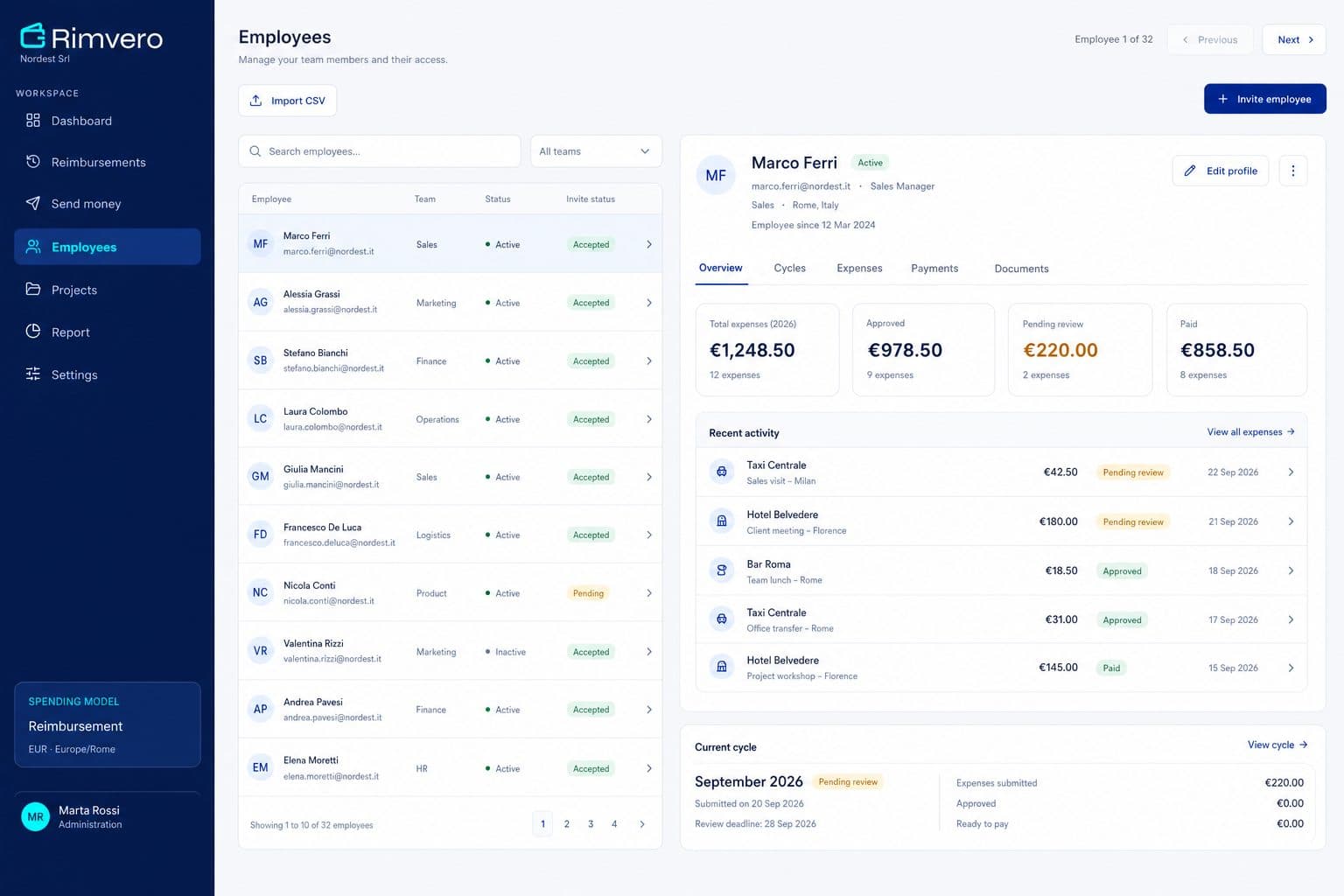
A financial file for each employee bringing together their expenses, advances, payments and documents, with the option to import employee data and assign employees to teams.
With solutions like this
-$19,78
Average savings per automated expense claim.
Financial reports and reconciliations
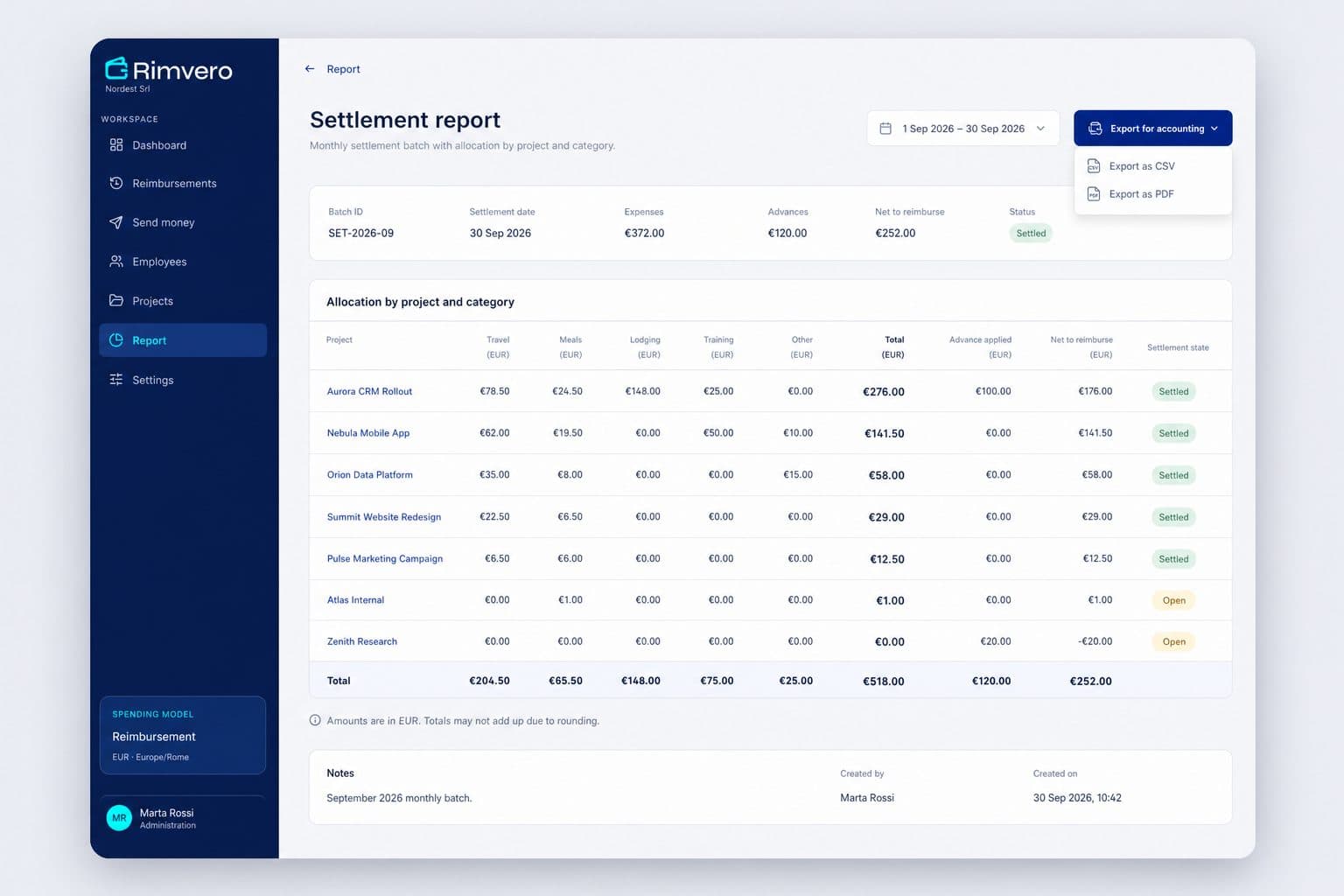
Preparing reports on expenses, payments and cost allocation by project and category, to make accounting work and closing the books easier.
Does your company need a similar system?
How did we build the solution?
Understanding the financial cycle of expenses
We studied every stage of an expense, from submitting the receipt to approval, payout and accounting reconciliation.
Organizing payout cycles and approvals
We designed the system so that management can track the status of each expense and the amounts owed to employees in each financial cycle.
Connecting employees with the finance team
Dedicated interfaces for employees and management, working on unified data and linking expense requests to review and payout procedures.
Flexible setup to fit the company’s needs
The workflow, expense categories and payout cycles can be set according to the nature of the company and its internal procedures.
Business impact
Benchmarks from published experiences with similar solutions.
-74%
Lower cost of processing a single expense claim.
-$19,78
Average savings per automated expense claim.
19%
of manual expense claims contain errors.
Development and expansion options
A complete employee app
Extending the app to cover submitting expenses, photographing receipts, requesting advances and tracking request status.
AI receipt reading
Extracting amounts, dates and supplier details from receipts automatically, without entering them by hand.
Integration with accounting and ERP systems
Connecting approved expenses and payments to the accounting and financial management systems used in the company.
Spending policies and smart alerts
Applying spending rules by project, category and permissions, and sending alerts when the set limits are exceeded.
Frequently asked questions
How are expenses reviewed and amounts owed paid out?
Expenses are grouped into financial cycles, and management reviews the requests, approves the amounts owed and tracks their payment and reconciliation.
Does the system support managing cash advances?
Yes. The system lets employees submit advance requests, and lets management review and approve them, record their payment and confirm receipt.
Can existing employee data be imported?
Yes. Employee and team data can be imported from CSV files, with the data reviewed before it is approved.
Can expenses be linked to projects and budgets?
Yes. Each expense is linked to a project and a category, with spending limits, mileage allowances and receipt requirements.
Do you need a better way to manage expenses in your company?
We study with you how you manage expenses, advances, budgets and financial approvals, and develop an integrated system that suits the nature of your business and your accounting systems.
Next project

Workly