
Fashion, retail and store chains
Cassento
A cloud point-of-sale system for managing stores and retail chains.
Sales, products, sizes, colors, prices, promotions, reservations, returns and inventory in one system that connects points of sale with central management. Cassento was designed specifically for the fashion and retail sector, to make daily in-store operations easier and let management track sales, prices and inventory across all branches.

- Client
- An Italian company specializing in fashion retail
- Industry
- Fashion, retail and store chains
- Services
- Point-of-sale system development
- Management software and sales process automation
- Platforms
- Browser-based POS system
- Central admin panel
- Mobile interface
The problem to solve
With many products, sizes, colors and branches, retail companies need precise management of prices, inventory, promotions and sales, while keeping service in the store fast.
Do you face these problems in your company too?
Difficulty managing products with many sizes and colors in traditional point-of-sale systems.
Updating prices and product labels by hand when sales begin.
Slow checkout during peak seasons and promotion periods.
Managing reservations and deposits in separate records.
Difficulty calculating refunds for products sold on promotion or at a discount.
Entering incoming goods into inventory by hand.
No central view of sales, prices and inventory across all branches.
Who is Cassento designed for?
Fashion brands
Managing products, sizes, prices and promotions across all the brand’s stores.
Clothing and footwear stores
Managing barcode sales, reservations, returns and inventory.
Outlet stores
Managing clearance prices, seasonal sales and price labels.
Boutiques and accessory stores
Managing sales, reservations, limited-quantity products and payment options.
Multi-branch store chains
Managing each store’s inventory, prices, promotions and staff from a central panel.
Sportswear and sports equipment stores
Managing products with many sizes and colors and seasonal promotions.
Furniture and home decor stores
Managing products with many variants, reservations and deposits.
Electronics and phone stores
Managing products, barcodes, prices, promotions and returns.
Other retail sectors
The system can be adapted to stores that rely on barcodes and product and inventory management.
How does the system work?
A complete point of sale
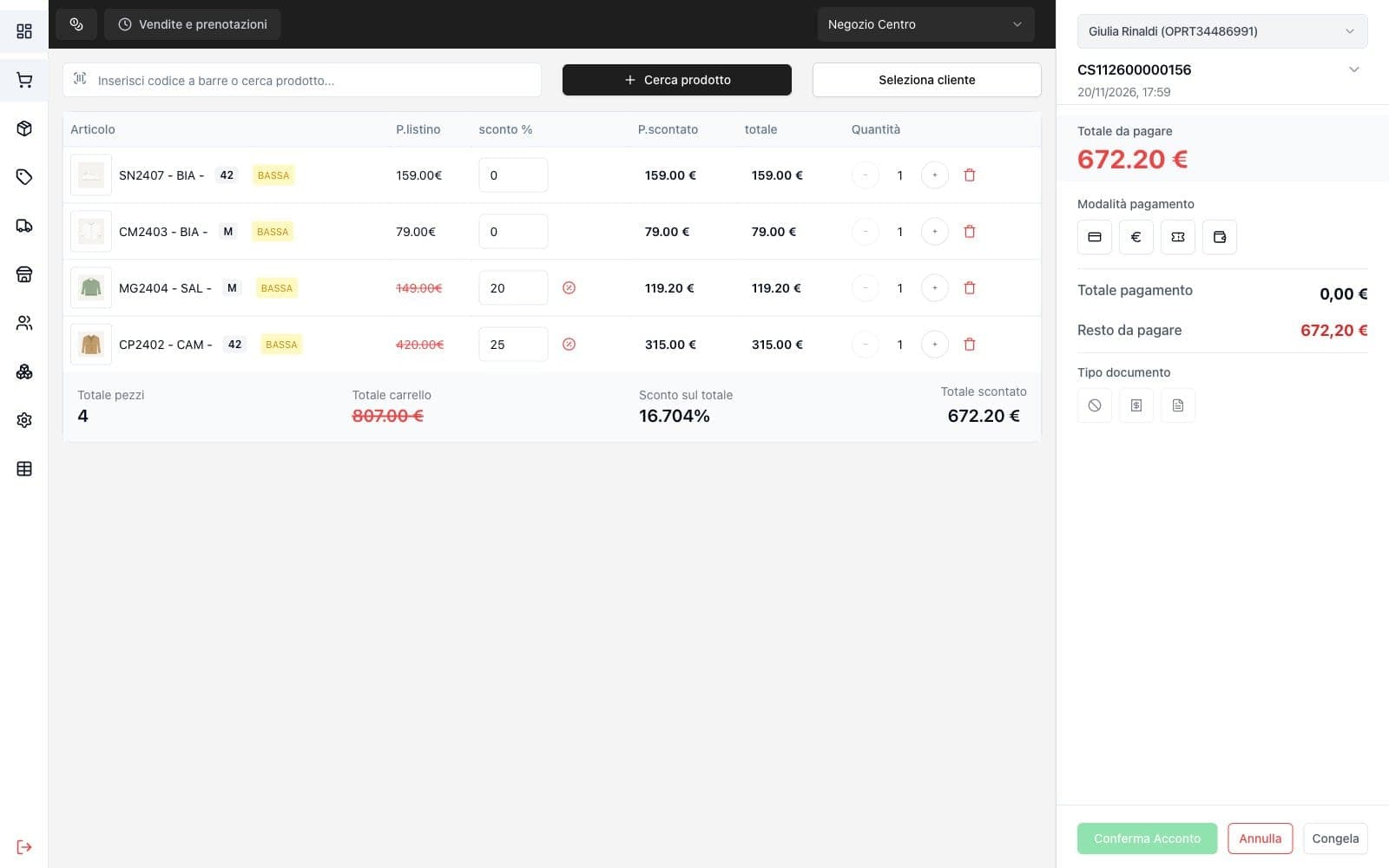
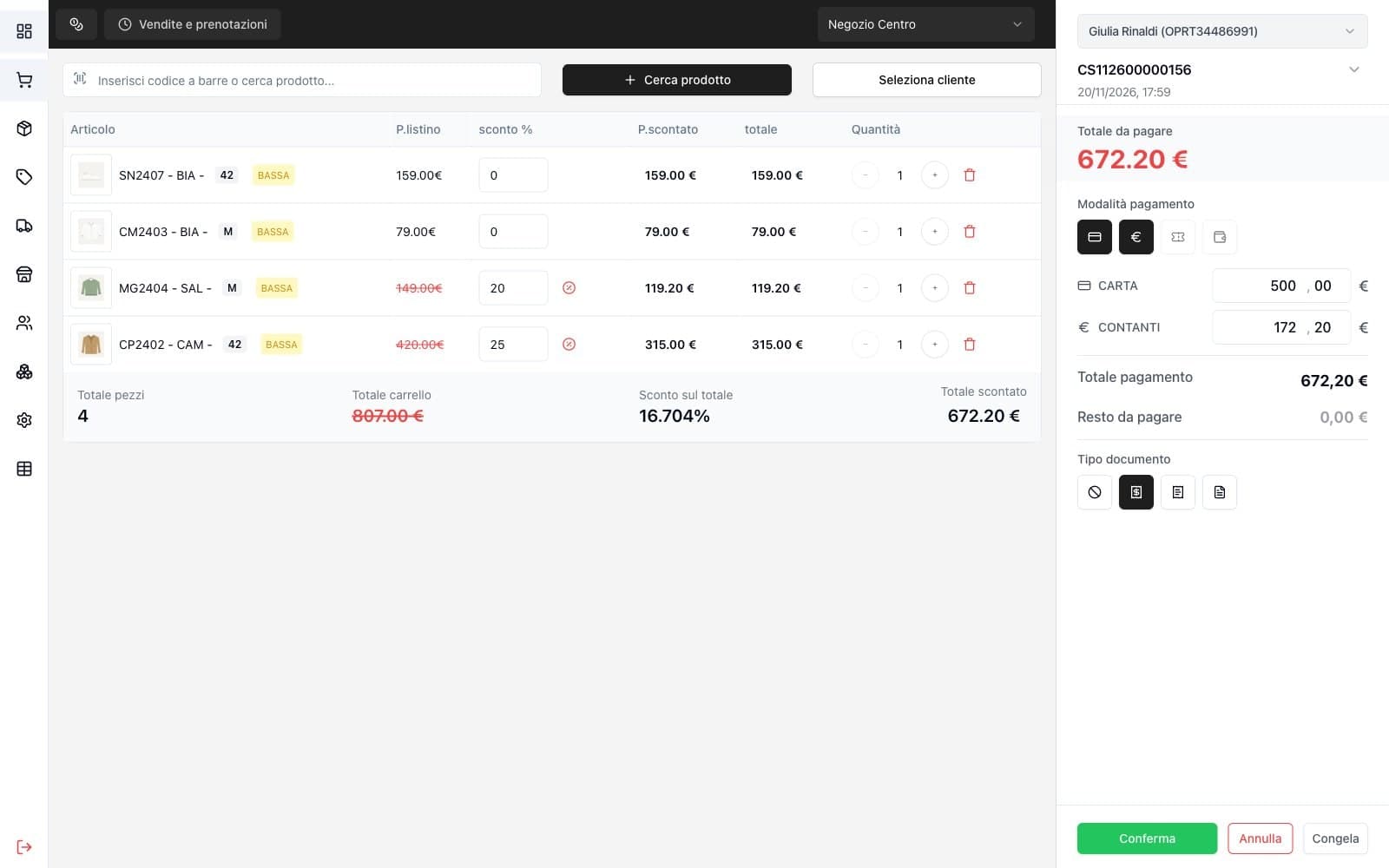
Scanning the barcode or searching for the product in the catalog, showing size, color, price, discounts and available quantities, with the option to park a sale and complete it later.
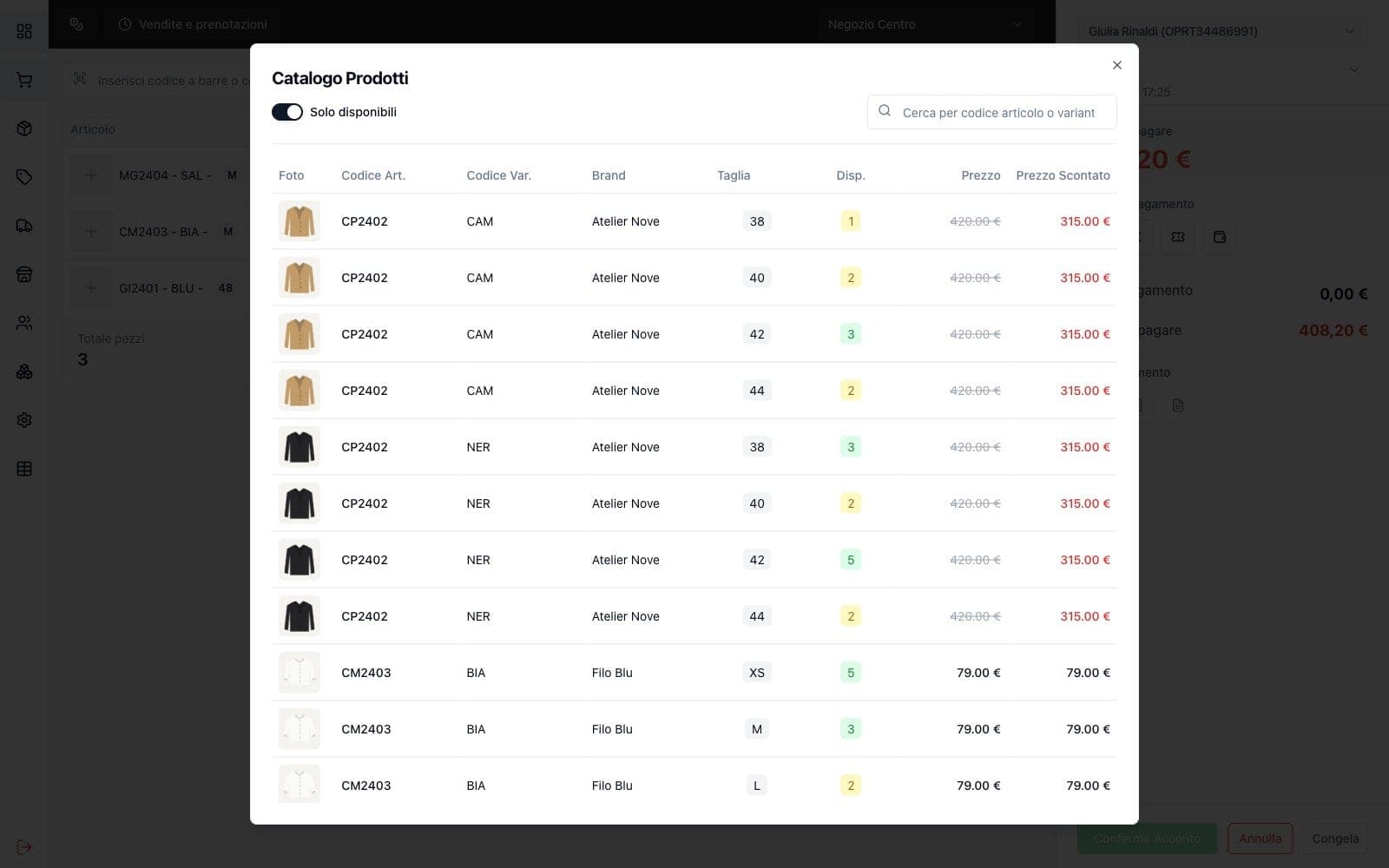
The product catalog in the store
Access to product images, brands, sizes, colors, prices and quantities available in each store directly from the point of sale.
With solutions like this
-90%
Less manual data entry for planners, merchandisers and store staff.
Payment and sales document management
Support for cash, card, bank transfer and voucher payments, with the option to use more than one payment method for the same sale, and preparation of sales documents and receipts.
Reservations and deposits
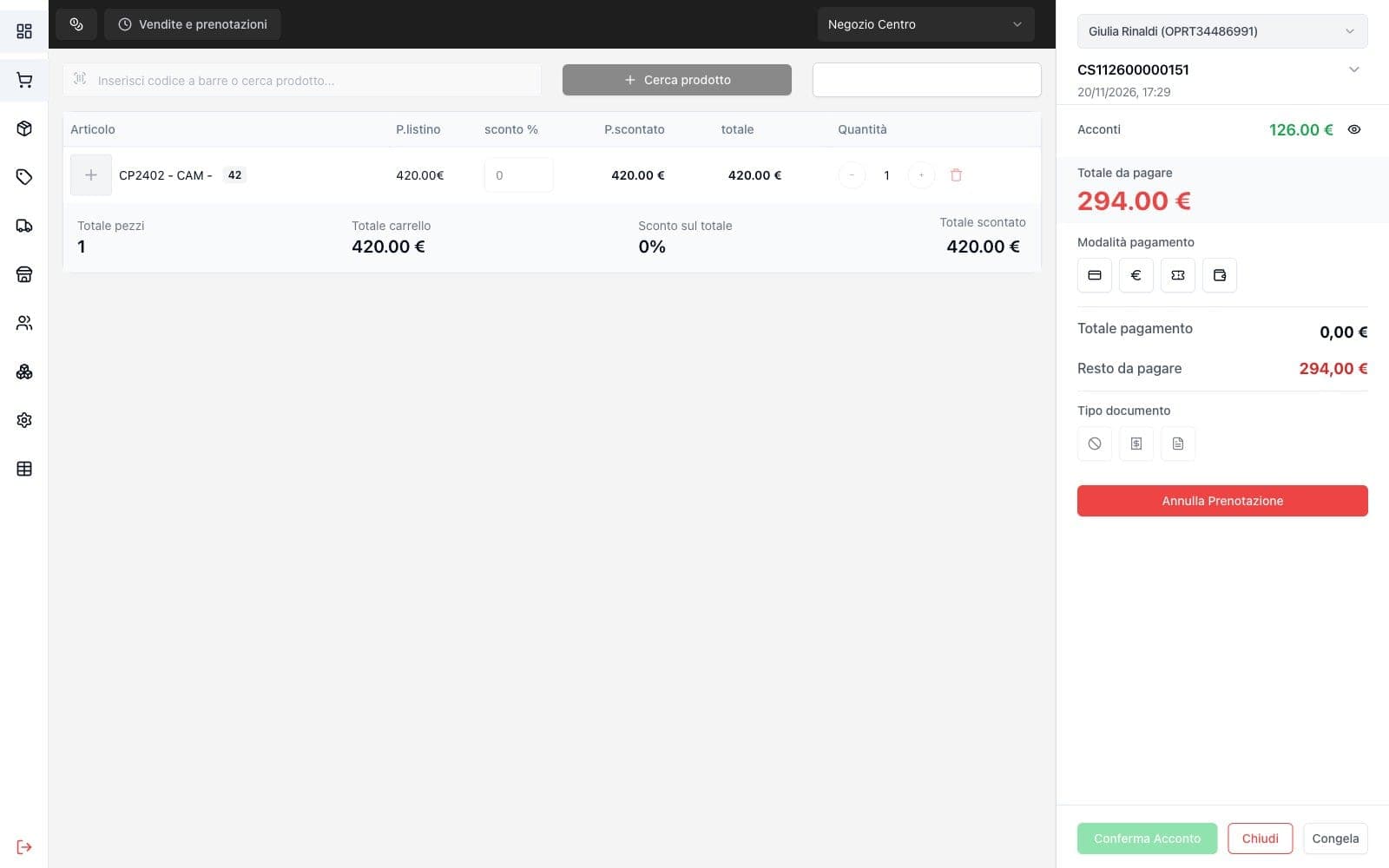
Reserving products for customers and recording the amounts paid and still due, with the option to complete the sale or cancel the reservation and return the product to stock.
Returns and refund management
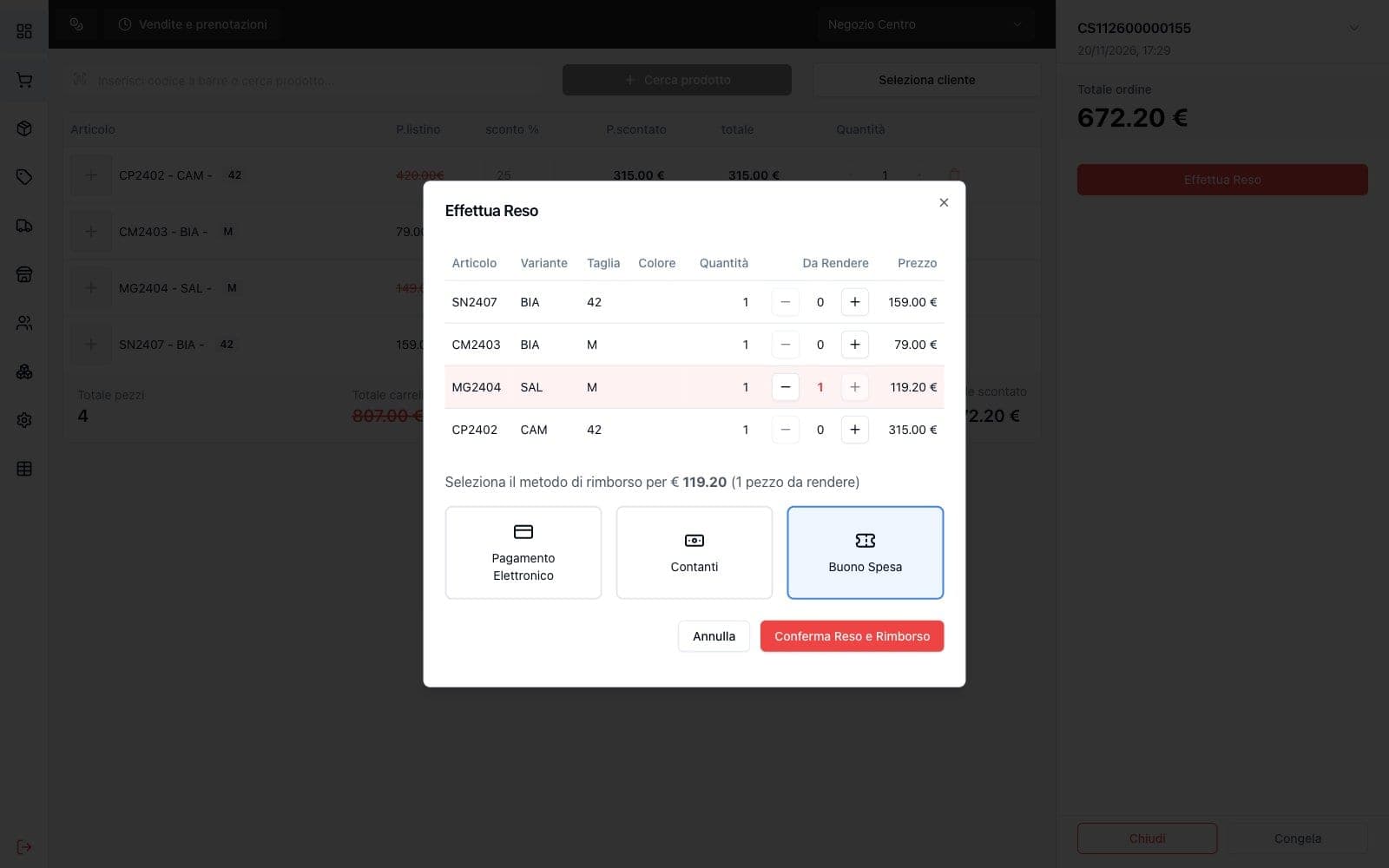
Linking returned products to the original sale and calculating the refund based on the price actually paid after discounts.
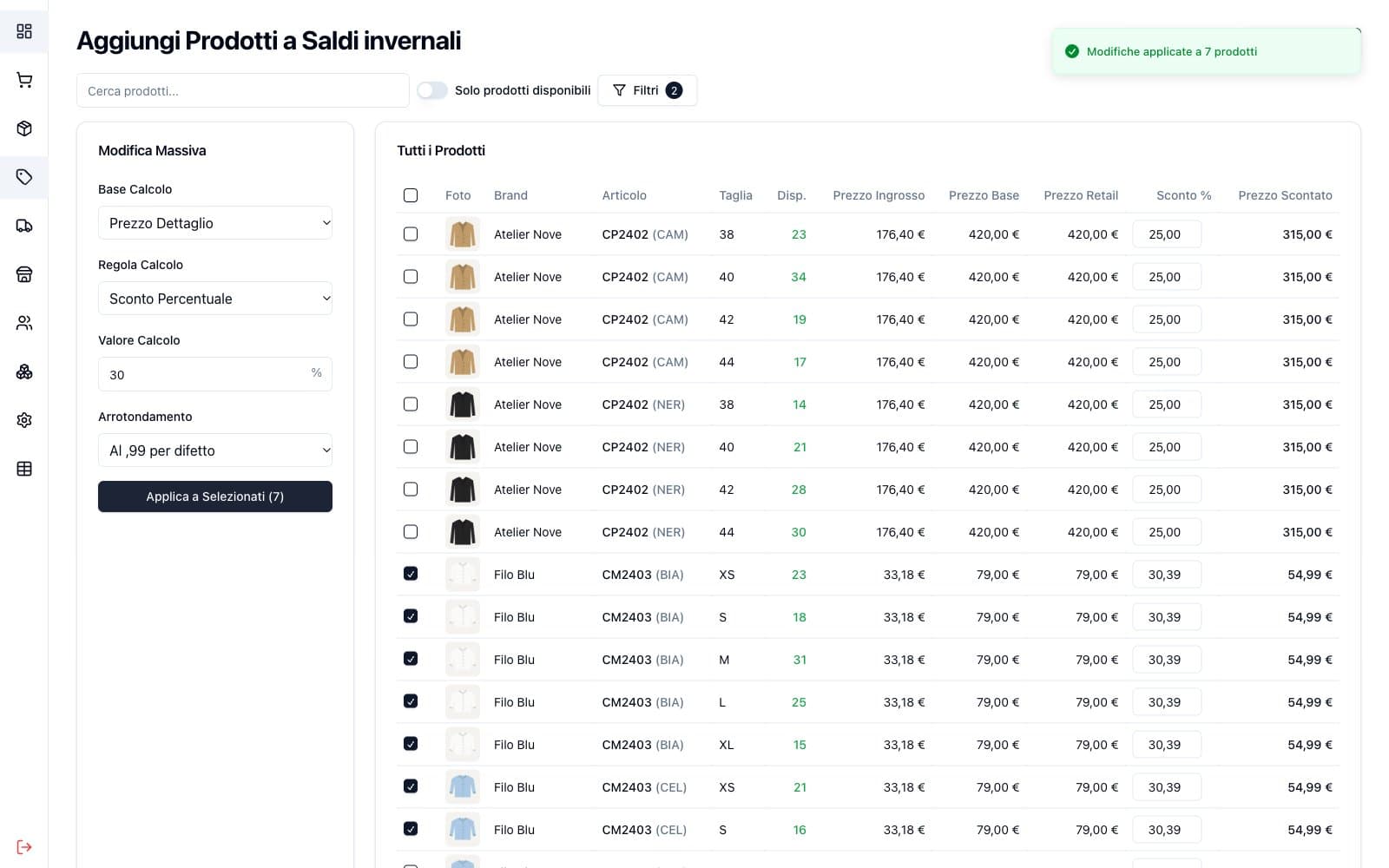
Price and discount management
Creating different price lists and discounts for each store, setting discount rates and start and end dates, and applying them automatically at checkout.
With solutions like this
-12%
Faster checkout
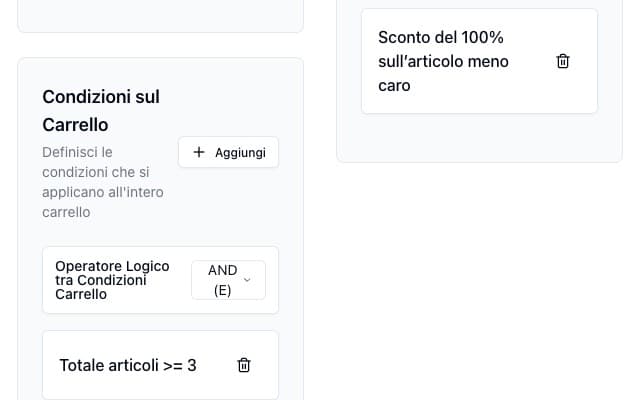
Promotions
Creating promotion rules based on products, quantities and cart value, and applying discounts automatically without any programming.
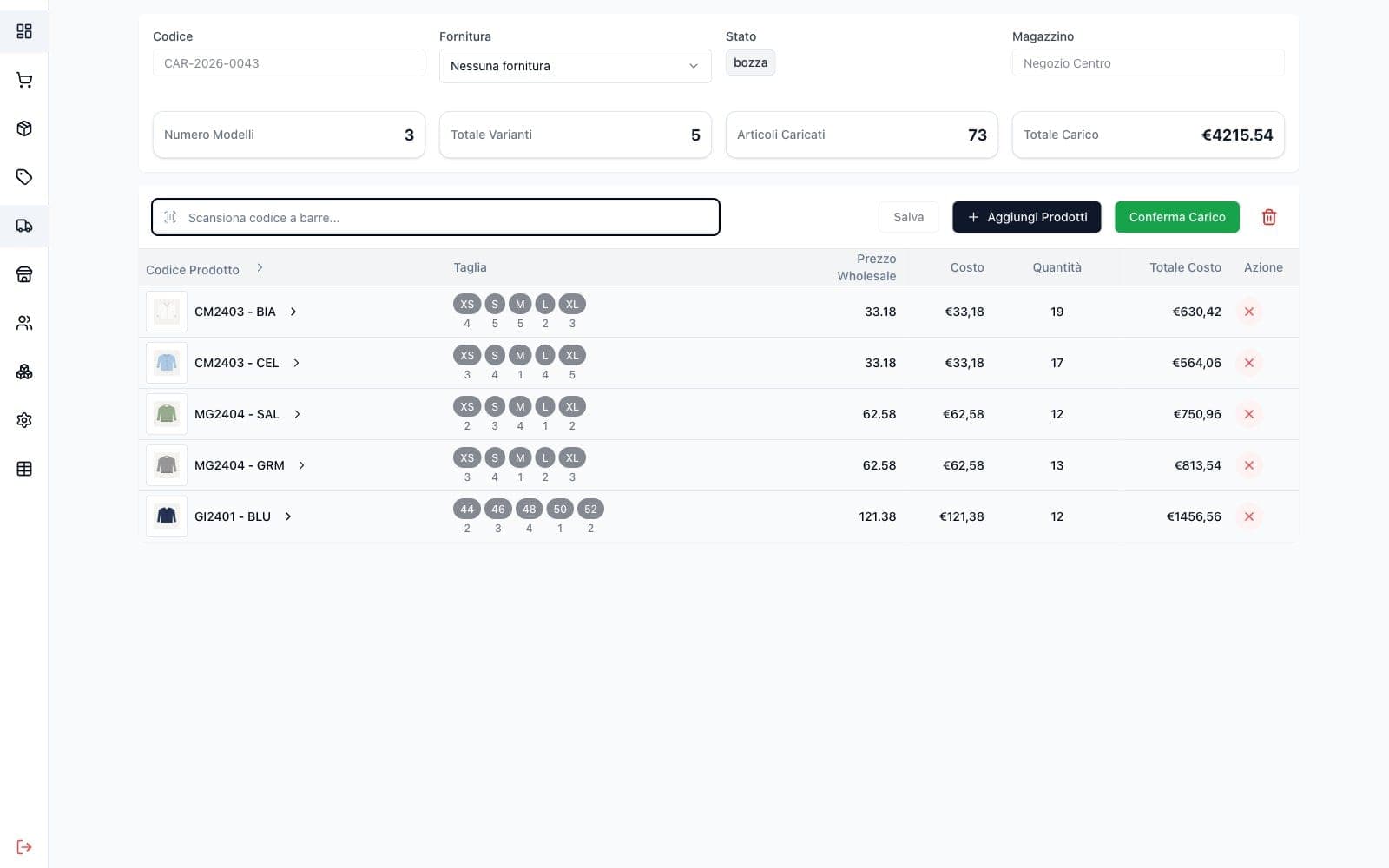
Goods receipt and inventory management
Recording incoming goods by product, color, size, quantity and cost, and updating the store’s inventory when the receipt is approved.
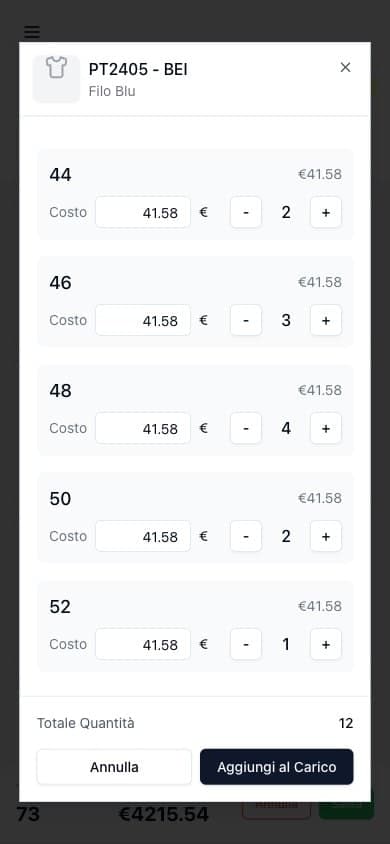
Goods receipt from the phone
An interface that lets staff record the products and quantities received directly from their phone in the store or warehouse.
Product label and barcode printing
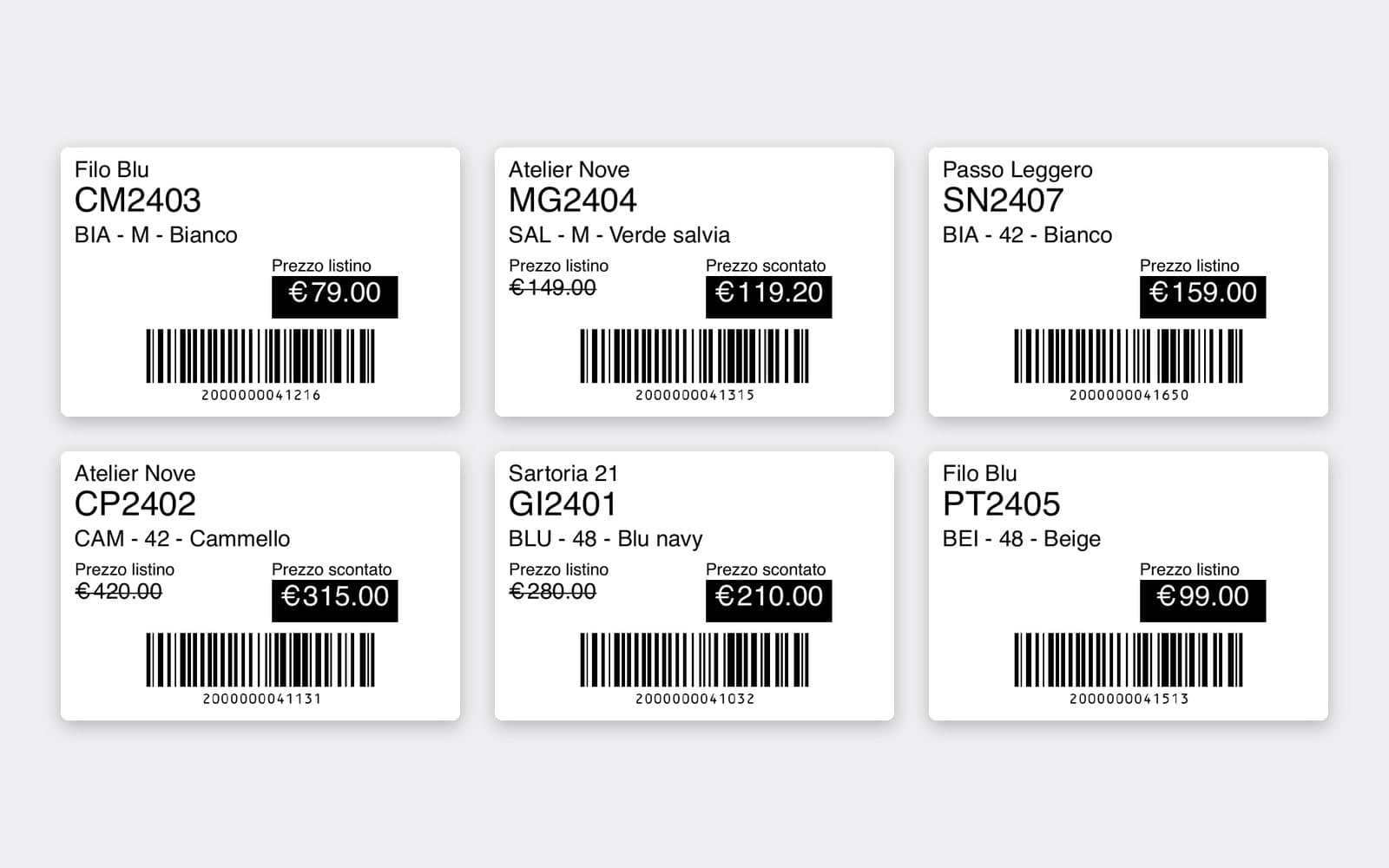
Creating labels with product details, brand, size, color, barcode, original price and discounted price.
Sales and business performance analysis
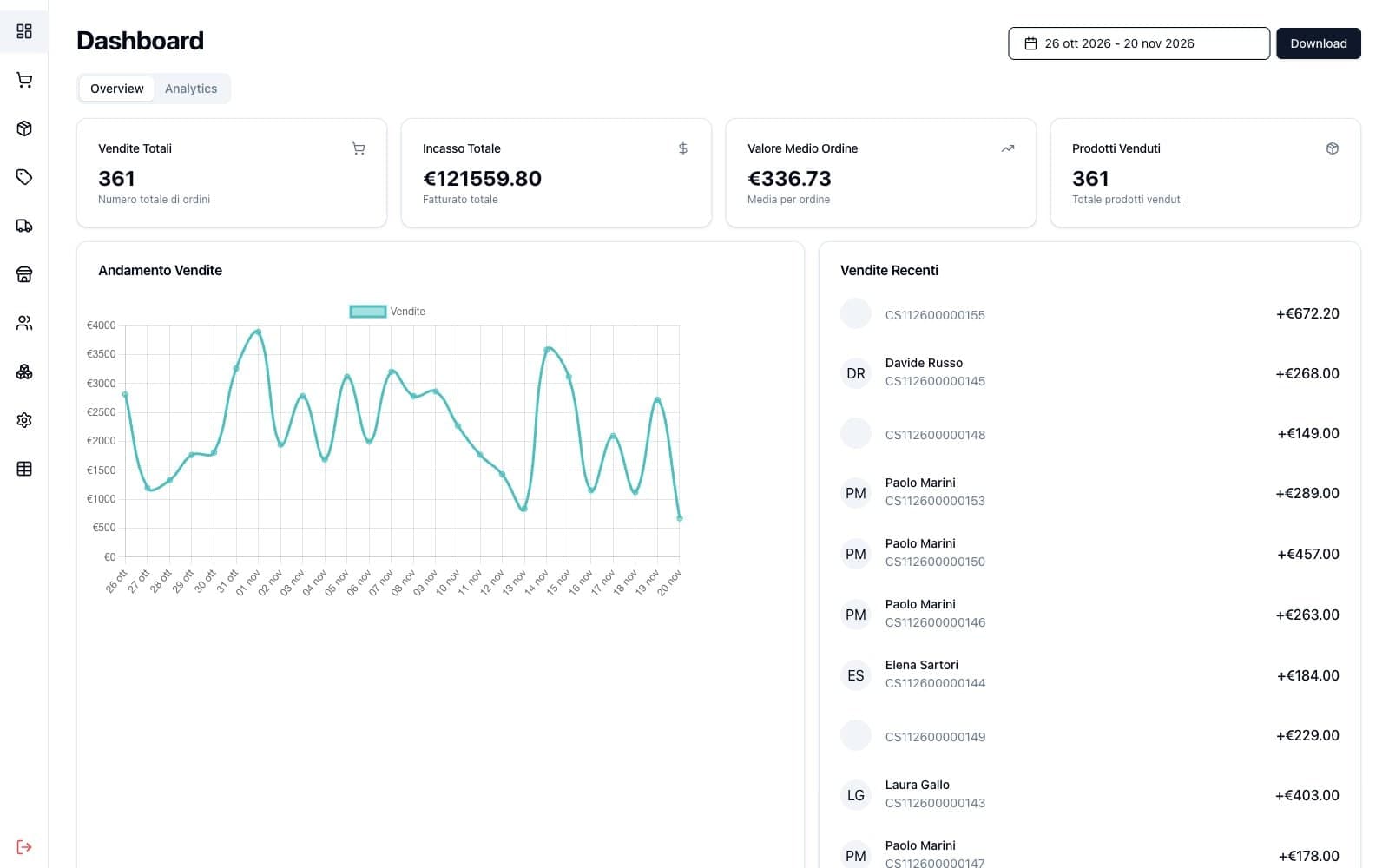
Dashboards showing revenue, number of sales, average purchase value and best-selling products, with performance analysis across different periods.
Does your company need a similar store management system?
How did we build the solution?
An architecture built for products with many variants
We designed a product model that supports different sizes, colors, barcodes, prices and quantities for each store.
Central management of prices and promotions
We connected price lists and discounts to the points of sale, so that the business rules set for each store are applied automatically.
Automating sales documents and labels
We developed a system to create sales documents, receipts, invoices and labels in PDF format, linked to the sales operations.
Inventory updated with daily operations
We linked sales, reservations, returns and goods receipts to inventory movements in each store.
User and permission management
Dedicated interfaces and permissions for point-of-sale staff, branch managers and central management.
Product catalog import
Products can be imported from Excel files, with the data reviewed before it is accepted into the system.
Business impact
Benchmarks from published experiences with similar solutions.
-90%
Less manual data entry for planners, merchandisers and store staff.
-12%
Faster checkout
1 day
to move 107 stores in two countries to the new system.
2 hours
to open a store that used to need a day and a half of setup.
Development and expansion options
Integration with invoicing systems
Connecting points of sale to e-invoicing systems, devices and financial systems according to local requirements.
Customer relationship management (CRM)
Creating customer profiles with their purchases, reservations, vouchers and transaction history.
Transfers between branches
Organizing the transfer of products and quantities between stores and warehouses according to each location’s needs.
Integration with e-commerce and ERP systems
Syncing products, prices, inventory and business data with online stores and management systems.
Frequently asked questions
Can Cassento be customized to our stores’ needs?
Yes. The system, interfaces, modules and business procedures can be customized to the nature of the stores and products.
Does the system support e-invoicing?
The system creates sales documents and invoices in PDF format, and integration with e-invoicing systems can be developed according to local requirements.
Does it support managing several branches?
Yes. Each store has its own inventory, prices, promotions and staff, and all branches are managed from a central panel.
Can the system be connected to an online store or ERP system?
Yes. Integration can be developed using the APIs available in the systems in use.
Does the system work without an internet connection?
The current version needs an internet connection, and an offline mode can be developed according to the project’s needs.
More questions (4)
Does it support barcode scanners and label printers?
Yes. It supports barcode input from compatible scanners, and creates labels in PDF format for printing.
Where is the company’s data stored?
A dedicated instance can run in a cloud environment in the company’s name, with data ownership set out in the contract.
How long does it take to get the system running?
It depends on the number of stores, the size of the catalog and the customizations and integrations required.
Who handles support and updates?
The digitalH team develops and maintains the system and provides technical support under the service agreement.
Are you looking for an integrated system to manage your stores?
We study with you how you manage sales, products, prices, inventory and branches, and develop an integrated point-of-sale and retail management system that suits the nature of your business.
Next project
CAI